Must-Have Automation Workflows for Maximizing Student Conversions
Revolutionize team productivity and effortlessly streamline your enrollment processes with our insightful eBook. Discover the four essential automation workflows designed not only to enhance operational efficiency but also to create a personalized, engaging experience.
What’s in it for you?
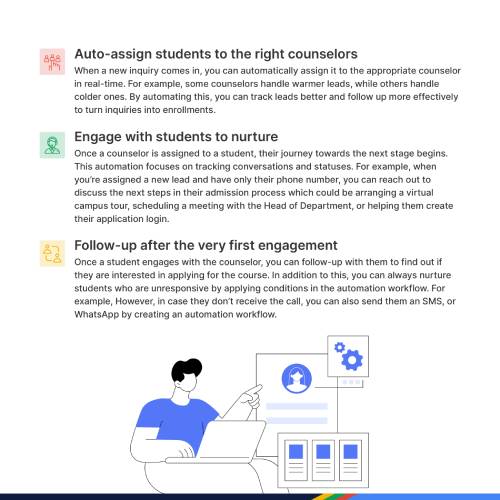
In this eBook, you will learn about the top enrollment automation workflows that will help you:- Engage prospect students at every step and reduce dropout rates
- Improve productivity across team and make them more efficient
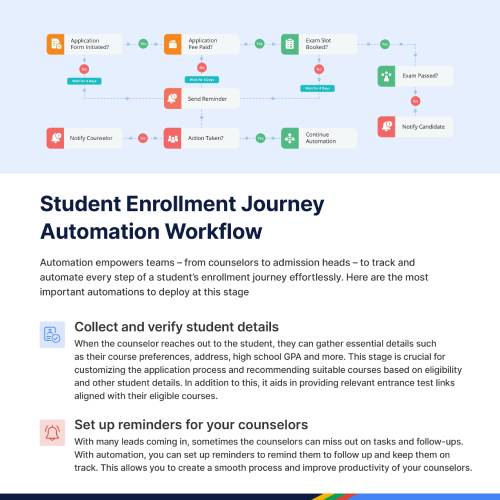
- Track and automate every step of a student’s enrollment journey effortlessly
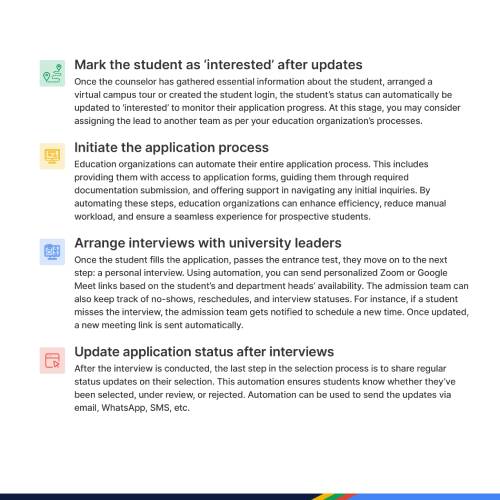
- Ensure a seamless and transparent experience for every candidate
Frequently Asked Questions
Get answers to frequently asked questions about everything we do.Meritto® is NoPaperForms’ flagship product and the AI-powered Operating System for Student Enrollments. It is a unified, modular and automated platform purpose-built for educational organisations, enabling them to attract, engage and enroll students on one platform. By bringing data, context and workflows together, Meritto serves as the system of record for the enrollment journey, helping educational organisations grow enrollments, improve conversions, optimise marketing spends and increase operational efficiency.
Meritto is modular, so institutions subscribe to what they need and add the rest on the same platform. Education CRM® runs the acquisition and admissions funnel, the Application & Post-Application Platform extends it into applications, document verification, offers and final enrollment, and the Student Engagement Suite adds WhatsApp, email, SMS, voice and AI-powered conversations across the journey. Collexo® connects fee collection at the point of admission. Taken together, these make up Enrollment Cloud®: CRM, student engagement, application management, marketing automation, payments and enrollment intelligence on one platform.
Mio AI™ is NoPaperForms’ agentic AI platform and the intelligence layer across its education technology platform. Built on the education-specific data, context and workflows of Meritto® and Collexo®, it enables educational organisations to deploy intelligent agents across student-facing and institutional workflows, bringing AI-led engagement and contextual intelligence into enrollment and payment journeys.
An enrollment automation workflow is a sequence of steps that runs automatically to move a prospective student through the enrollment journey without manual intervention.
Where a single template is one message, a workflow is the connected logic behind it, deciding what happens, when, and based on what the student does. It links triggers, actions, and communication into one automated flow, so tasks like following up, assigning leads, or sending reminders happen reliably every time rather than depending on someone remembering.
The essential workflows are the ones that cover the moments where conversions are most often won or lost across the journey.
These typically span capturing and instantly routing new leads, nurturing prospects with timely follow-ups, guiding applicants through application and document steps, and re-engaging candidates who go quiet before they drop off. This eBook focuses on four such workflows, and together they ensure that no stage of the journey depends on manual effort, which is where conversions usually leak.
Automation workflows reduce dropout by ensuring every prospect receives timely, relevant engagement at exactly the points where interest tends to fade.
Drop-off usually happens in the gaps: a follow-up that came too late, a reminder that never went out, an applicant left waiting. Workflows close those gaps automatically, keeping candidates engaged and moving forward. By catching stalling prospects and prompting the next step consistently, they hold onto students who would otherwise quietly disappear from the funnel.
A trigger is the event that sets a workflow in motion, such as a new enquiry arriving, a form being submitted, a deadline approaching, or a prospect going inactive.
When the trigger condition is met, the workflow automatically carries out the actions you have defined, like sending a message, assigning the lead, or updating a status. Triggers are what make automation responsive rather than scheduled, because the right action fires in reaction to real behaviour at the right moment.